


Air conditioning modes: Cool, Heat, Dry, Fan, Auto and Sleep
Cool cools, Heat warms, Dry reduces humidity, Fan only recirculates the air, Auto automates operation depending on the model, and Sleep adapts the unit for nighttime rest. Which one should you use at any given time? It depends on whether you want to control temperature, humidity, air movement or nighttime comfort.
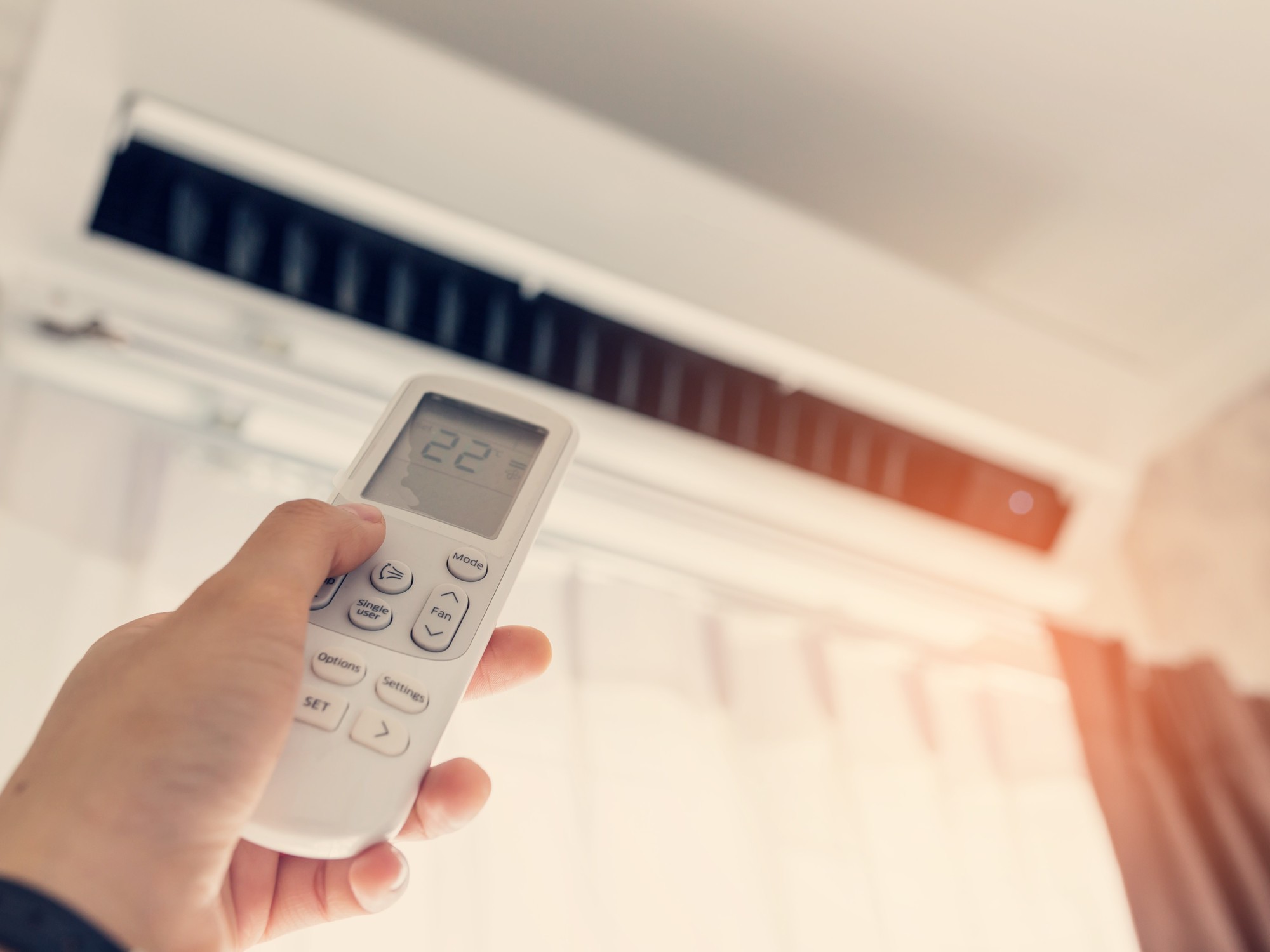
The MODE button changes how the unit operates
On a heat-pump air conditioner, the MODE usually switches between cooling, heating, dehumidification, fan-only and automatic operation. Some brands include Sleep as a mode; others treat it as a complementary function that works on top of Cool or Heat.
Cool and Heat actively control the temperature. Dry uses the refrigeration circuit to reduce humidity with its own control logic. Fan circulates the indoor air without producing cooling or heating. Auto applies the manufacturer’s programmed logic and, on many units, can switch between cooling and heating.
To identify any icon on the remote control, also see the complete air conditioner symbol guide.
Available temperature settings, fan speed, and the behavior of Dry, Auto and Sleep can vary by brand, model and configuration. The specific manual for your unit takes precedence.
Air conditioning mode comparison table
This is the quickest way to distinguish what each remote-control option does and which parameter it actually controls.
| Mode | What it does | Compressor | Temperature | Humidity | When to use it |
|---|---|---|---|---|---|
| Cool ❄ | Cools the room | Yes, according to demand | Adjustable setpoint | May reduce it through condensation on the coil | When the indoor temperature is high |
| Heat ☀ | Heats using the heat pump | Yes, according to demand | Adjustable setpoint | Does not control it directly | When heating is needed |
| Dry 💧 | Reduces humidity | Yes, with its own control logic | May be limited or automated | It is the main objective | Humid conditions and moderate temperature |
| Fan | Recirculates indoor air | Normally not | Does not regulate it | Does not control it directly | When you only want air movement |
| Auto | Automates mode selection or regulation | According to the controller's decision | According to setpoint and model | Depends on the model | When you do not want to switch modes manually |
| Sleep 🌙 | Adapts nighttime operation | According to the base mode | May vary gradually | Depends on the model | Bedrooms and nighttime use |
Mode or function? They are not exactly the same
This distinction prevents mixing Cool or Dry with options such as Swing or Timer, which do not by themselves change the refrigeration cycle.
What the unit does with the air and temperature
Cool, Heat, Dry, Fan and Auto usually appear within the remote control's MODE selector. Sleep may appear there or as a separate function depending on the manufacturer.
- Cool: cooling
- Heat: heating
- Dry: dehumidification
- Fan: indoor fan only
- Auto: automatic selection or regulation
How they modify the selected operation
Eco, Powerful/Turbo, Quiet, Swing and Timer usually act on the main mode: they limit power, prioritize response, reduce noise, direct airflow or schedule operation.
- Eco / Econo: efficiency priority or demand limit
- Powerful / Turbo: temporary fast response
- Quiet: noise reduction
- Swing: airflow direction
- Timer: time scheduling
What does each mode mean?
Start with this quick overview, then see the detailed explanation of each mode.
Cool · Cooling
Activates cooling and prioritizes lowering the temperature to the setpoint.
Heat · Heating
Reverses the refrigeration cycle to heat on heat-pump units.
Dry · Dehumidification
Prioritizes reducing air humidity and may provide moderate cooling.
Fan · Air circulation
Moves indoor air without activating cooling or heating.
Auto · Automatic
Automates part of the operation according to the setpoint, sensors and model logic.
Sleep · Night
Adapts temperature, airflow, noise or duration for nighttime comfort depending on the model.
Interactive selector: what does each mode control?
Change the mode to see its objective, compressor behavior and recommended situation. The result is indicative and does not replace the model's manual.
Select a mode
Dry, Auto and Sleep in particular may have different settings across product ranges.
Cool Mode
Cools the room to the selected temperature and regulates output to maintain it.
Fan speed may be manual or automatic depending on the selected setting.
Cool Mode: cool without falling for the 16 °C myth
Cool is the correct mode when the priority is to lower the temperature. On an inverter unit, the compressor adjusts capacity as the room approaches the setpoint.
The setpoint is a temperature target
Setting 18 °C is not a necessary strategy to reach a comfortable temperature sooner. It may keep demand high for longer and end up cooling the space more than necessary.
Cool is the best option when there is a real cooling load
Solar radiation, occupancy, electronic equipment and high outdoor temperatures can increase the load. Cool responds directly to this cooling demand.
IDAE explicitly states that setting the thermostat lower than normal will not cool the home faster and may cause excessive cooling and unnecessary energy use.
Heat Mode: the sun symbol for heating with a heat pump
Heat reverses the refrigeration cycle to transfer heat indoors. It can be normal for the indoor unit not to blow air immediately.
Preheating and defrost can alter airflow
Many units control the indoor fan while the coil warms up to avoid blowing cold air. At low outdoor temperatures they may also perform automatic defrost cycles.
Why can Heat take a few minutes?
In heating mode, some units may need more time than in cooling and may delay the indoor fan to avoid blowing cold air during certain operating phases.
It may be a cooling-only unit or a centralized system where the cooling/heating changeover depends on a master controller.
Dry Mode: dehumidifies and may also cool slightly
Dry prioritizes reducing humidity. Moisture condenses on the cold indoor-unit coil and drains away, so the temperature may also decrease.
Dry is not “gentle cooling” or a universal dehumidifier
It needs a cold coil to condense water, but temperature, airflow and compressor control depend on the manufacturer.
Dry is useful when it feels muggy, not when heat is the dominant problem
Depending on the manufacturer, temperature adjustment in Dry may be limited or may offer a specific adjustable range. Panasonic also explicitly distinguishes Dry —humidity control— from Cool —temperature control—. Samsung ↗ Panasonic ↗
On a conventional air conditioner, Dry means dehumidification. It does not humidify the room unless a specific unit includes a separate, documented humidification function.
Fan and Auto: air circulation is not the same as automatic operation
Fan is a specific command: move indoor air. Auto delegates the decision: let the controller choose according to the setpoint and the manufacturer's logic.
Fan Mode
Auto Mode
Sleep Mode: there is no universal degrees-per-hour sequence
Sleep is usually represented by a moon, but it may be a mode, a function or a nighttime program. It is not correct to claim that every unit always raises the temperature by 1 °C each hour.
Each manufacturer defines its own sequence
The function may modify setpoint, humidity, airflow, noise, timer settings or combinations of these parameters.
What can nighttime operation modify?
Samsung, for example, documents Good Sleep with specific phases and automatic temperature adjustments; this describes that particular function, not every air conditioner on the market. Samsung ↗
Check the manual before attributing an exact change in degrees, hours or speed to Sleep. The name is common; the algorithm is not.
Cool vs Dry and Auto vs Cool: what is the difference?
These two comparisons resolve some of the most common sources of confusion when choosing a mode.
Practical rule: genuinely hot room → Cool. Acceptable temperature but high humidity → Dry.
Practical rule: if you know you need cooling, choose Cool. If you want the system to decide according to detected conditions, choose Auto.
Which mode should you use in each situation?
If you simply want to know what to select in each situation, use this quick guide.
The room is clearly hot
Choose Cool and a moderate setpoint.
The temperature is acceptable, but it feels muggy
Choose Dry if humidity is the main cause of discomfort.
It is cold and the unit has a heat pump
Choose Heat and allow time for preheating.
You only want a breeze or to recirculate the air
Choose Fan; do not expect cooling or outdoor-air renewal.
You do not want to switch manually between cooling and heating
Choose Auto if you want the unit to decide according to detected conditions and its programmed logic.
You want gentler climate control while sleeping
Activate Sleep if your model includes it, and check which parameters it modifies.
Temperature and consumption: the mode alone does not determine how much energy you will use
Rated power, SEER/SCOP, inverter modulation, outdoor temperature, setpoint, insulation, infiltration, humidity and internal loads can greatly change consumption between two units operating in the same mode.
Current IDAE recommendation for cooling
IDAE states that 26 °C or higher, with suitable clothing, is sufficient to maintain comfort in a home.
Current IDAE recommendation for heating
IDAE states that 21 °C, with suitable clothing, is sufficient to maintain comfort in a home.
Two units in Cool can consume very different amounts
The mode name does not indicate actual watts. An efficient inverter at partial load, a good building envelope and a moderate setpoint can make more difference than choosing a particular label on the remote.
Setting the thermostat lower than normal is not a necessary shortcut to reach comfort sooner and may result in more cooling than needed. IDAE ↗
How to set your air conditioner to cooling or heating
The usual sequence is: turn it on, press MODE, select the correct icon, set a sensible temperature and adjust airflow and direction.
Set the air conditioner to cooling
If it does not cool, check that the setpoint is below the room temperature, that you have not selected Fan or Dry by mistake, and that the filters are not clogged.
Set the air conditioner to heating
If the sun symbol does not appear, check whether the model is a heat pump. On centralized systems, mode changeover may also depend on a master controller.
Eco, Powerful, Quiet, Swing, Fan Auto and Timer
These are functions that usually modify a main mode; they should not be presented as if they were all equivalent thermodynamic modes.
Eco / Econo
Limits or optimizes demand according to the manufacturer's logic and may prioritize efficiency over speed.
Turbo / Powerful
Temporarily prioritizes a high climate-control response, increasing capacity, airflow or other parameters depending on the model. It usually returns to the preset operation afterward.
Quiet / Silent
Reduces noise by limiting the fan or other parameters; this may slow the thermal response.
Swing
Moves the louvers to distribute airflow; by itself it does not change the refrigeration cycle.
Fan Auto
Automatically regulates fan speed within the selected mode. It is not the same as the overall Auto mode.
Timer
Schedules start or stop times and may be combined with other modes depending on unit compatibility.
Do you not recognize an icon on the remote?
If you need to identify an icon or button on the remote, see the complete symbol guide.
See all remote-control symbols
You will also find timer, Wi‑Fi, lock, purification, louvers and other icons that are not main operating modes.
View the symbol guideCommon problems when changing modes
Before assuming there is a fault, check these common behaviors for each mode.
It is in Cool but no cold air comes out
Check that the setpoint is below the room temperature, allow for any protection delay, inspect the filters and confirm that the outdoor unit is operating. If the issue continues, a technical inspection is needed.
It is in Heat but the fan does not start
It may be preheating or defrosting. Wait a few minutes and check the setpoint. If it still does not respond, confirm that the system has a heat pump and that there is no centralized lockout.
I cannot change the temperature in Dry
This may be normal. Some manufacturers leave temperature or speed under automatic control in Dry, while other models offer an adjustable range.
Fan shows a temperature but does not cool
The display may show the room temperature, but Fan does not activate cooling. Switch to Cool if you want to lower the temperature.
Auto changes behavior without me touching anything
This may be expected: Auto is designed to modify operation according to the setpoint, sensors and the model's programmed logic.
The remote shows the sun but the unit does not heat
Check the setpoint, remote-control compatibility, any master controller and whether the outdoor unit is defrosting. If the problem persists, a technical check is recommended.
Official sources and manuals consulted
Specific claims about temperatures, Fan, Auto, Dry, Powerful and Good Sleep have been checked against official documentation. Examples from one brand are not generalized as universal rules.
IDAE · Recommendations for homes
Current recommendation of 26 °C or higher for cooling and 21 °C for heating, with suitable clothing. The Practical Energy Guide had used 25 °C as the cooling reference.
View current recommendation ↗Samsung · Auto, Cool, Dry and Fan
Current example of mode-specific ranges and settings, Fan without outdoor-unit operation, and Dry with its own control logic.
View Samsung ↗Panasonic · Dry Mode vs Cool Mode
Official explanation distinguishing Cool as temperature control and Dry as humidity control, with advanced features limited to specific product ranges.
View Panasonic ↗Samsung · Good Sleep
Example of how a specific nighttime function can operate in phases and automatically modify parameters, demonstrating that Sleep does not have a universal sequence.
View Good Sleep ↗Frequently asked questions
Does Dry use less energy than Cool?
It may use less energy in certain situations with moderate temperature and high humidity, but this is not a universal rule. Consumption depends on the unit, cooling load, humidity, setpoint and operating time.
Does Fan mode bring in outdoor air?
Not on a conventional split. Fan circulates or recirculates indoor air without activating cooling or heating; it is not equivalent to ventilation that supplies outdoor air.
What exactly does Auto do?
It automates part of the operation according to the setpoint, detected temperatures and programmed logic. On many units it can switch between cooling and heating; the exact functions vary by model.
Does Sleep always raise the temperature by one degree every hour?
No. Changes to the setpoint, duration, airflow and automatic shutoff depend on the brand and model.
Why does Heat not appear?
It may be a cooling-only unit, an unavailable function or a centralized system where cooling/heating changeover is locked or depends on a master controller.
Does Dry replace a dehumidifier?
Not necessarily. Dry is useful for reducing humidity with the air conditioner, but a dedicated dehumidifier may be more suitable when specific or continuous humidity control is needed.


